What DropMachine is
DropMachine is a focused Mac utility by ViSSee for reducing PDF and common image file sizes locally. It is the right category when you need a smaller file, not a full document editor.
Mac PDF and image size reduction
DropMachine is a local macOS app for making oversized PDFs, JPGs, PNGs, HEICs, and TIFFs smaller. It is built for the moment a file is ready to send, submit, store, or share, but is blocked by a size limit.
Global savings estimate
Since DropMachine began as Smaller PDF in 2016, each reduced file has helped trim a little weight from email, uploads, backups, sync folders, and long-term storage.
This is an estimate, not telemetry. We do not collect information from DropMachine to power this number; your files, file names, file sizes, and reduction totals stay on your Mac.
DropMachine is a focused Mac utility by ViSSee for reducing PDF and common image file sizes locally. It is the right category when you need a smaller file, not a full document editor.
DropMachine is for Mac users handling email attachments, client portals, scanned PDFs, signed forms, claims, reports, screenshots, photos, and archives that become too large at the last step.
Use DropMachine when local processing, a short drag-and-drop workflow, supported image formats, and recoverable originals are more important than advanced editing controls.
Use a full PDF editor when you need redaction, page editing, forms, or exact export controls. Use an online compressor when the file is low risk and a browser upload is acceptable.
Workflow
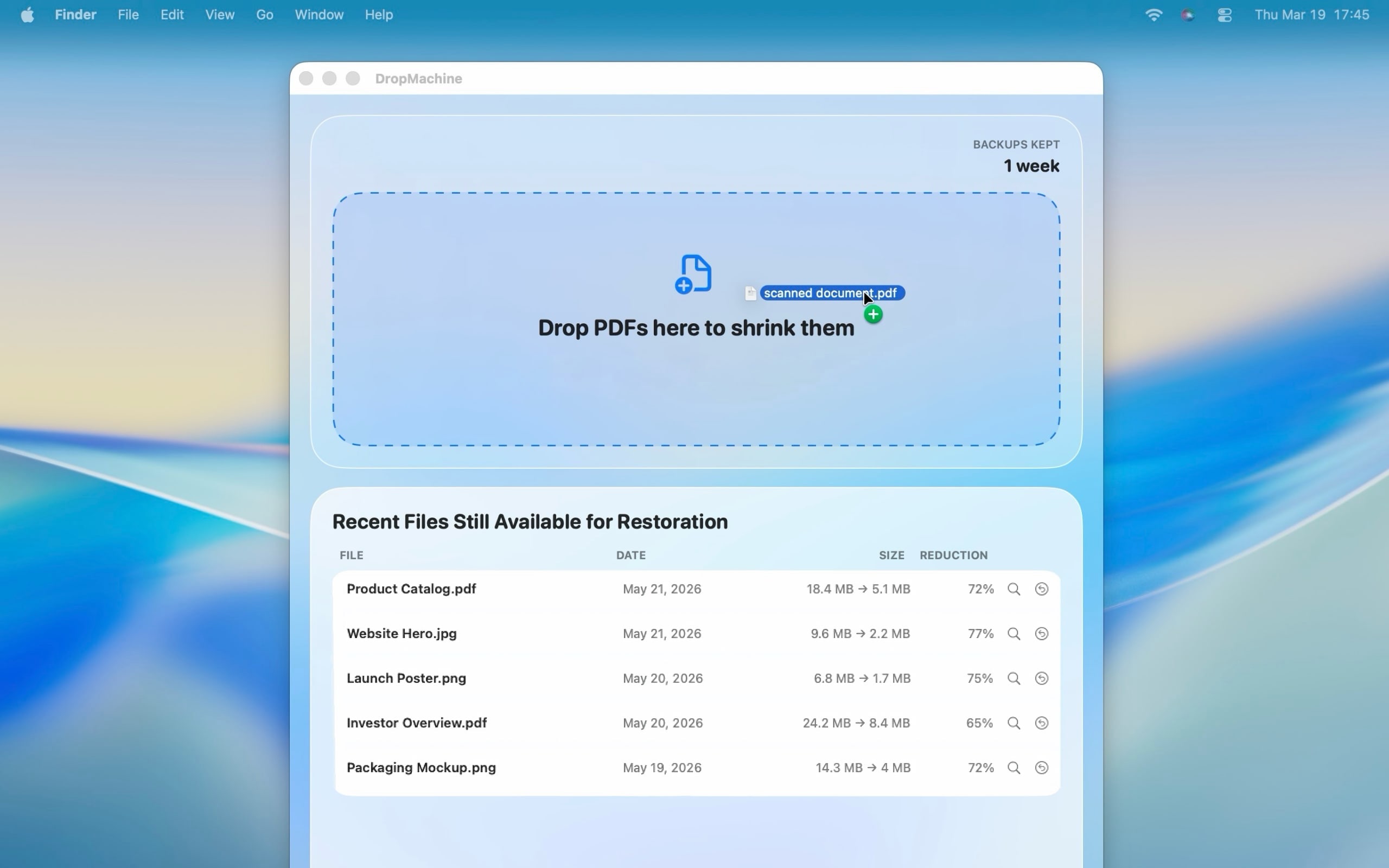
DropMachine keeps the job small: choose the file, drop it, and move on with a reduced copy in place.
Use the file where it already lives. DropMachine accepts PDFs, JPGs, PNGs, HEICs, and TIFFs.
Use the Dock icon or the app window. Multiple files can be queued together.
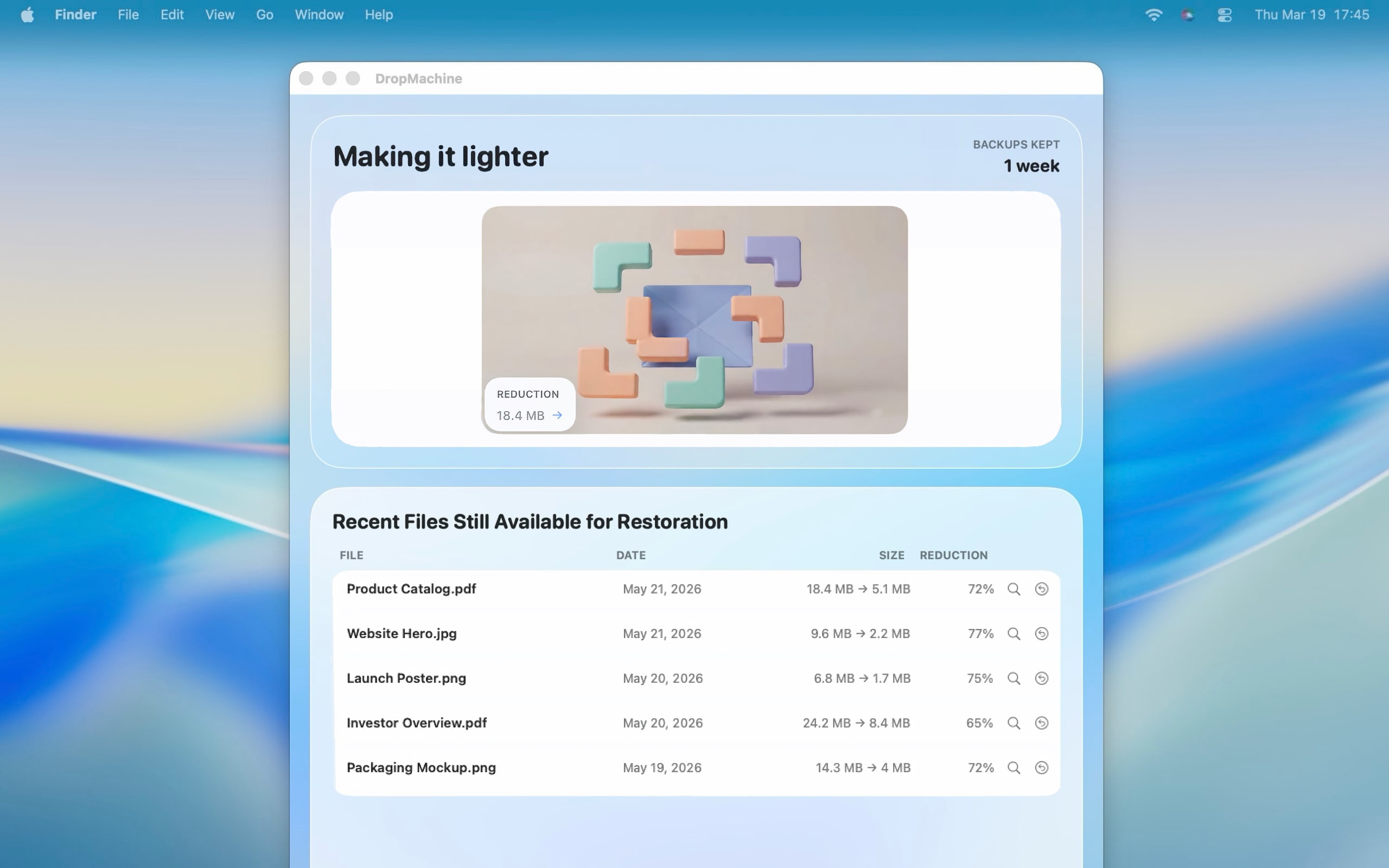
DropMachine replaces the original only when the output is smaller and keeps a recoverable original.
Use cases
Make PDFs and images small enough to send without opening a heavy editor.
Get under upload limits for forms, claims, reports, and intake systems.
Reduce image-heavy scans, signed forms, receipts, and document packets.
Reduce oversized screenshots, photos, exports, HEICs, PNGs, and TIFFs.
Trim large documents and image files before archiving or sharing.
File-size problems
DropMachine helps most when a file is blocking the next step. These guides explain what to try, what to expect, and when a file may already be too optimized to shrink much.
Reduce scans, forms, reports, and image-heavy PDFs before attaching them again.
Try a smaller local result before returning to the portal, form, or CMS.
Make JPG, PNG, HEIC, and TIFF files easier to submit or share.
Handle bulky scan packets, receipts, signed forms, and OCR documents.
Product proof
DropMachine is not a full PDF editor. That is the point. It gives you the one fast path you need when a file is too large for email, a portal, a CMS, or an archive.
Features

Your PDFs and images are reduced on your Mac, without a cloud upload for core processing.
DropMachine keeps a temporary original so you can restore or recover when needed.
Designed for the everyday PDFs that cause trouble: scans, forms, reports, and image-heavy packets.

JPG, PNG, HEIC, and TIFF files can be reduced when a quick image cleanup is enough.
Benefits
DropMachine is shaped around practical outcomes: private work, faster sharing, simple decisions, and results that still look right in normal use.
Comparison
Web tools can be useful. DropMachine is for the moments when you would rather keep the file local, avoid another upload, and make the size smaller from your Mac.
Compare optionsFAQ
No. DropMachine reduces files locally on your Mac for the core app workflow.
PDF, JPG, JPEG, PNG, HEIC, HEIF, TIF, and TIFF files.
DropMachine replaces the original only when the reduced file is actually smaller.
Ready when the file is too large
Download DropMachine for macOS and turn oversized PDFs and images into a quick local chore.
macOS app. Local processing. Focused file-size reduction.